
More than 60 percent of American households report unexpected costs due to their printer’s ink consumption. Knowing how ink page yield really works matters because confusing manufacturer estimates often lead to overspending and frustration for American buyers. This guide breaks down what page yield means, clears up the biggest myths, and reveals which details can help American families and businesses make smarter printing decisions.
| Point | Details |
|---|---|
| Understanding Ink Page Yield | Ink page yield estimates the number of pages from a cartridge, but real-world output varies significantly based on document complexity and print settings. |
| Manufacturers’ Calculation Methods | Page yield calculations use standardized metrics, yet actual performance can deviate based on content type and printing conditions. |
| Impact of Printer Type and Settings | Printer type, maintenance cycles, and print modes affect ink consumption and yield, influencing overall printing costs. |
| Cost of Cartridge Choices | Selecting between OEM and compatible cartridges involves balancing cost savings against potential risks in performance and reliability. |
Ink page yield represents the estimated number of pages a printer can produce from a single ink cartridge, typically calculated using a standardized 5% page coverage metric. This standard provides a baseline measurement, but real-world printing often reveals significant variations in actual page production.
Manufacturers use this standard page coverage metric as a consistent benchmark, though it can be misleading. The 5% coverage assumption represents approximately a typical business letter with modest text and minimal graphics. However, practical printing scenarios frequently deviate from this idealized standard. Complex documents with graphics, photographs, or dense text blocks can dramatically reduce the number of pages produced by a single cartridge.
The most common myths surrounding ink page yield include assumptions that all pages consume ink equally and that manufacturer estimates are universally applicable. In reality, printing large color blocks or complex graphics consumes substantially more ink, potentially reducing page output by significant margins. Factors like print density, content type, and color saturation directly impact cartridge performance.
Pro Tip: Track Your Actual Printing: Maintain a log of pages printed per cartridge to develop a personalized understanding of your specific printer’s real-world ink consumption patterns.
Page yield calculation represents a complex technical process that standardizes printer cartridge performance measurement across different manufacturers and models. Standardized testing methods like the ASTM F2555-06 provide a consistent framework for determining how many pages a single ink cartridge can reliably produce.
The testing process involves continuous printing of standardized documents under controlled conditions until the cartridge reaches its end-of-life point. Manufacturers meticulously track multiple variables during these assessments, including ink consumption, print quality, and total pages produced. Printable area coverage and content type significantly influence these calculations, meaning that the same cartridge might yield different page counts depending on the specific document being printed.

Typically, manufacturers use a standard 5% page coverage assumption, which approximates a basic business letter with minimal graphics. This methodology allows for comparative analysis between different cartridge models, but it does not necessarily reflect real-world printing scenarios. Factors like color density, graphic complexity, and text volume can dramatically alter actual page yield, creating potential discrepancies between manufacturer estimates and user experiences.
Pro Tip: Page Yield Verification: Compare manufacturer specifications with your actual printing patterns to develop realistic expectations about cartridge performance and plan your printing budget accordingly.
Printer performance involves complex interactions between hardware, software, and usage patterns that significantly impact ink consumption and page yield. Printer maintenance cycles can consume substantial amounts of ink, often using more ink for routine cleaning and preparation than for actual printing, especially when devices are used infrequently.
The type of printer and its design play crucial roles in determining page yield. Multifunction printers (MFPs) typically offer lower cost per page compared to standard desktop printers, making them more economical for high-volume printing environments. Factors like print density, content complexity, and color saturation dramatically influence actual page output. A document with dense graphics or high-color coverage will consume significantly more ink than a simple text page, reducing the total number of pages produced by a single cartridge.
Additional variables that impact page yield include print settings, paper type, and printer age. Draft mode printing, for instance, uses less ink and can extend cartridge life, while high-quality photo printing demands maximum ink coverage. Environmental conditions like temperature and humidity can also affect ink flow and cartridge performance, potentially reducing the number of pages a cartridge can produce.
Pro Tip: Ink Efficiency Check: Regularly monitor your printer’s draft and standard print modes to optimize ink consumption and extend cartridge life.
Here’s how different factors influence actual ink cartridge yield:
| Factor | Effect on Yield | Business Impact |
|---|---|---|
| Page coverage | Higher coverage lowers yield | Increases ink costs per job |
| Print density | Dense graphics reduce output | Limits bulk printing efficiency |
| Maintenance cycles | Frequent cleaning consumes ink | Raises ongoing operating expenses |
| Printer type | MFPs offer better efficiency | Lowers overall printing cost per page |
| Print mode | Draft uses less ink | Extends cartridge replacement intervals |
| Paper type | Glossy absorbs more ink | Increases average cost per print |
| Environment | Humidity can affect flow | May reduce expected cartridge life |
Original Equipment Manufacturer (OEM) cartridges represent the gold standard in printer supplies, designed specifically for precise printer compatibility. These manufacturer-produced cartridges are engineered to ensure maximum reliability and performance, with rigorous quality control that guarantees consistent print output.
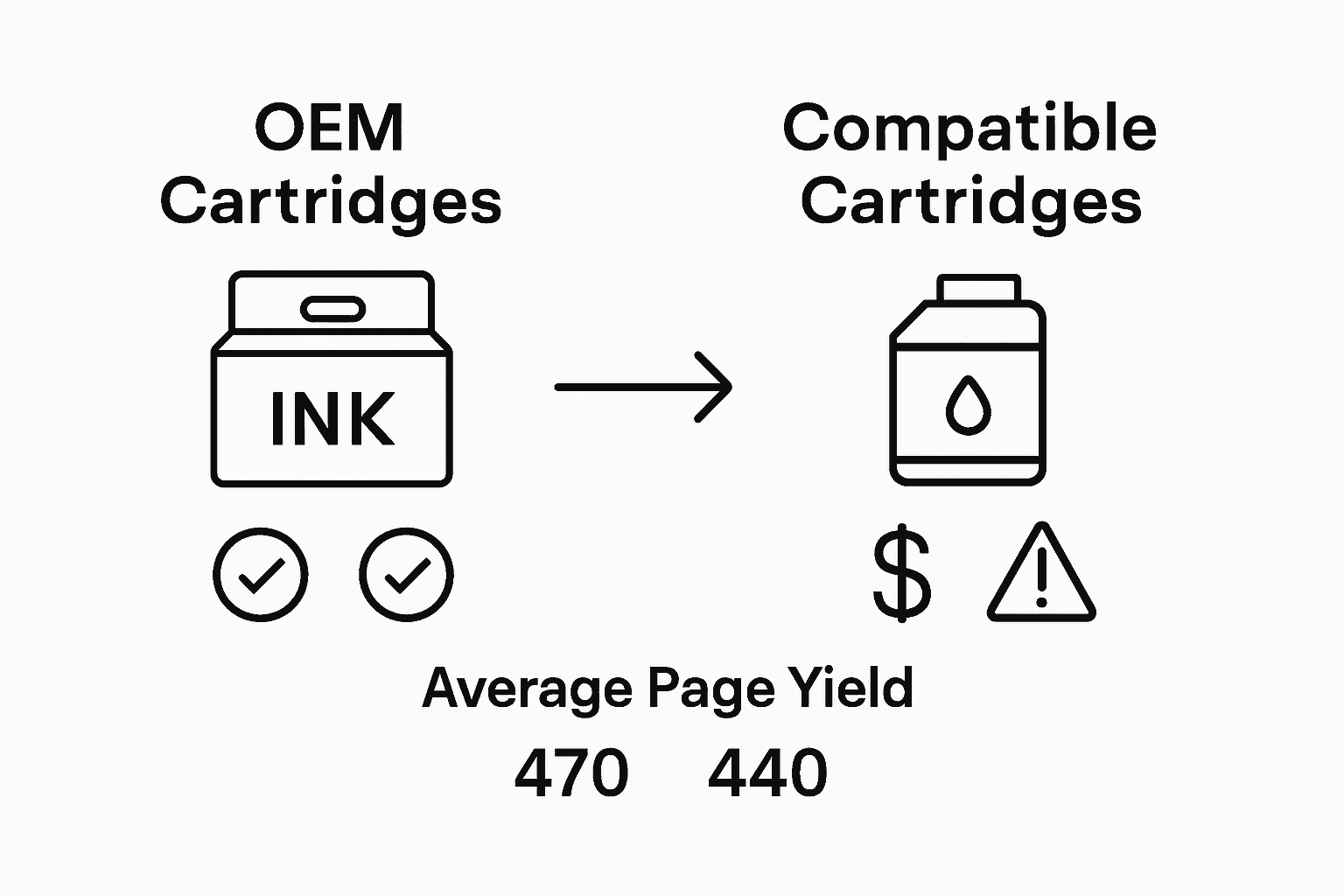
Third-party ink cartridges offer significant cost savings but come with potential performance risks. Compatible cartridges typically cost 30-50% less than OEM alternatives, making them attractive for budget-conscious consumers. However, these cartridges may have higher failure rates, inconsistent print quality, and potentially shorter lifespan compared to original manufacturer cartridges. Some compatible cartridges might even void printer warranties or cause mechanical issues if not carefully selected.
The key differences between OEM and compatible cartridges extend beyond price. OEM cartridges undergo extensive testing to ensure perfect printer integration, while compatible cartridges are manufactured by third-party companies attempting to replicate original designs. This can result in variations in ink chemistry, cartridge structure, and overall print performance. Businesses and individual users must weigh the immediate cost savings against potential long-term risks of using non-original cartridges.
Pro Tip: Cartridge Compatibility Check: Always verify third-party cartridge compatibility with your specific printer model and choose reputable manufacturers to minimize potential printing issues.
Below is a quick comparison of OEM and compatible ink cartridges:
| Cartridge Type | Reliability | Typical Cost Savings | Potential Risks |
|---|---|---|---|
| OEM | Consistently high | Minimal, rarely discounted | Low; best compatibility |
| Compatible | Variable, brand dependent | 30–50% less than OEM | Possible printer issues, possible voided warranty |
Printing budgets are dramatically influenced by ink page yield, a critical factor that determines long-term printing expenses. Ink page yield directly impacts overall printing costs, with lower-yield cartridges requiring more frequent replacements, creating a cascading effect on organizational and personal printing expenditures.
Inefficient printers can lead to significant financial waste, with some users losing over $100 annually on ink that never reaches the page. The true cost of printing extends beyond the initial cartridge price, encompassing maintenance cycles, ink consumption rates, and replacement frequency. Small businesses and home offices are particularly vulnerable to these hidden expenses, where seemingly minor variations in page yield can translate into substantial annual spending.
Calculating the total cost of printing requires a comprehensive approach that considers not just the upfront cartridge price, but the entire lifecycle of ink consumption. Factors such as print density, maintenance requirements, and cartridge efficiency play crucial roles in determining long-term financial impact. High-yield cartridges might appear more expensive initially but can provide significant savings by reducing replacement frequency and minimizing waste. Organizations can potentially reduce printing costs by 20-40% through strategic cartridge selection and understanding detailed page yield metrics.
Pro Tip: Cost Analysis Strategy: Track your actual print volume and calculate the cost per page for different cartridge types to make informed purchasing decisions that optimize your printing budget.
Understanding ink page yield is essential to controlling your printing costs and avoiding unexpected expenses. This article highlights how actual page coverage, print density, and cartridge type directly affect how long your ink lasts and how much you spend. If you are tired of cartridges running out too fast or costly replacements draining your budget, it is time to take control with the right supplies.
GetToner.ca offers a wide selection of reliable OEM and compatible ink and toner cartridges designed to fit your specific printer needs while maximizing page yield. Explore our range of ink & toner cartridges and discover options that balance quality and cost savings for both home and business environments.
Start optimizing your printing experience today. Visit GetToner.ca now to find affordable printing supplies backed by fast Canadian shipping and local support. Gain better control over your printing budget with genuine products tailored to enhance your printer’s performance and extend cartridge life.
Ink page yield is the estimated number of pages a printer can produce from a single ink cartridge, typically calculated using a standardized 5% page coverage metric.
Manufacturers calculate page yield using standardized testing methods, printing documents under controlled conditions until the cartridge reaches its end-of-life point while tracking variables like ink consumption and print quality.
Factors affecting actual printed pages include page coverage, print density, printer maintenance cycles, the type of printer, selected print mode, paper type, and environmental conditions like temperature and humidity.
OEM cartridges are designed specifically for printers by the manufacturer, ensuring high reliability and performance. In contrast, compatible cartridges are third-party products that may offer significant cost savings but can come with performance risks like inconsistent quality or mechanical issues.